How do I make a New Year 2027 AI video from my photo?
Updated:
Short answer
Upload one photo of an adult or a pet with the face toward the camera, choose the light, place, material and outfit or keep the defaults, and MimicZip builds the climb. Check a 5-second bonus preview, then spend 1 credit on the 6-second 720p video. No prompt to write.
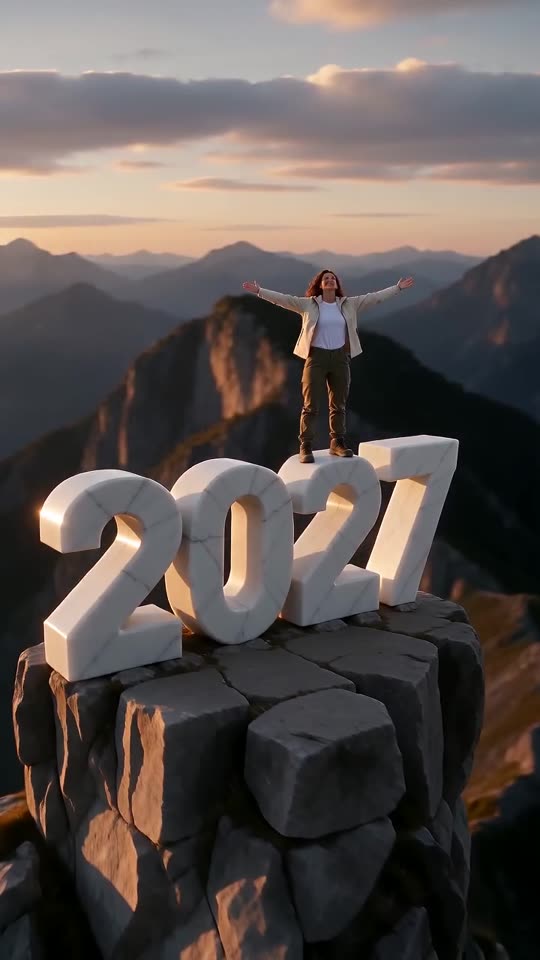
From one photo to the summit
- Open the template page. There is a single box. Use a sharp photo of one adult or one pet, face toward the camera, eyes open, head and upper body in view, as JPG, PNG or WebP up to 10 MB.
- Pick the light and the place: golden sunset on a mountain summit by default, or sunrise, fireworks night, snowy dawn, starry sky, blue hour, and a sea cliff, rooftop, dune or cloud pinnacle.
- Pick the material of the digits: white marble by default, or gold, ice, neon or flowers.
- Pick the outfit and the shape: your own clothes, hiking gear, a winter parka, evening wear, white linen or sportswear; 9:16 for TikTok or 16:9 for wide.
- Consent, login, pack. Tick the photo-consent box and sign in with Google. Previews come inside a pack.
- Check the preview. It is watch-only, 5 seconds at 480p, with a PREVIEW badge. Look at whether the face matches your photo and whether the digits read 2027.
- Render: 1 credit gives the 6-second 720p MP4 with no watermark, saved in My videos.
The beats already built in
From 0 to 2 seconds you climb the side of a digit, until 3 seconds you pull up and stand, until 4.5 seconds you hold your arms open, and the last 1.5 seconds are the drone-style pull-back that shows 2027.
After rendering
Download the MP4 or copy a share link from My videos. The posts that started the trend use their own voice-overs, and ours is not timed to them, so see the sound guide for how to add a sound.
Questions people ask
Do I need to write a prompt?
No. The camera and the beats are fixed. You provide one photo and choose the options.
Can my photo be full-length?
Yes, but the face must still be sharp. A waist-up photo is enough, and the clothes in it carry into the clip.
Can I close the page while it renders?
Yes. Rendering carries on at our end, and the finished video is saved under your account in My videos.
Make your own New Year 2027 video
Upload one photo and make a 6-second HD video from $8.99. No subscription, and the full video has no watermark.
Make my video